 Deployy
— Deployy Desk
Does your team have scripts only a few people know how to run?
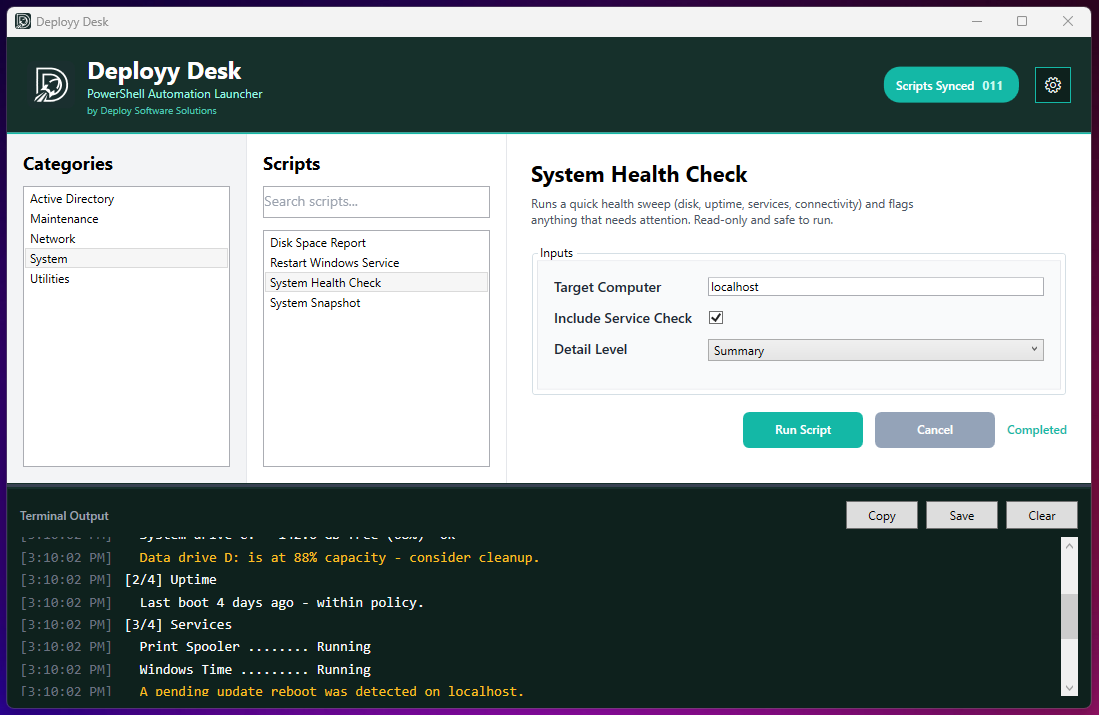
Deployy Desk turns a folder of PowerShell scripts into a clean, clickable interface. Point it at your script folders and each script becomes a simple form. No terminal, no specialized knowledge.
01 What it is
Easy auto-generated PowerShell forms.
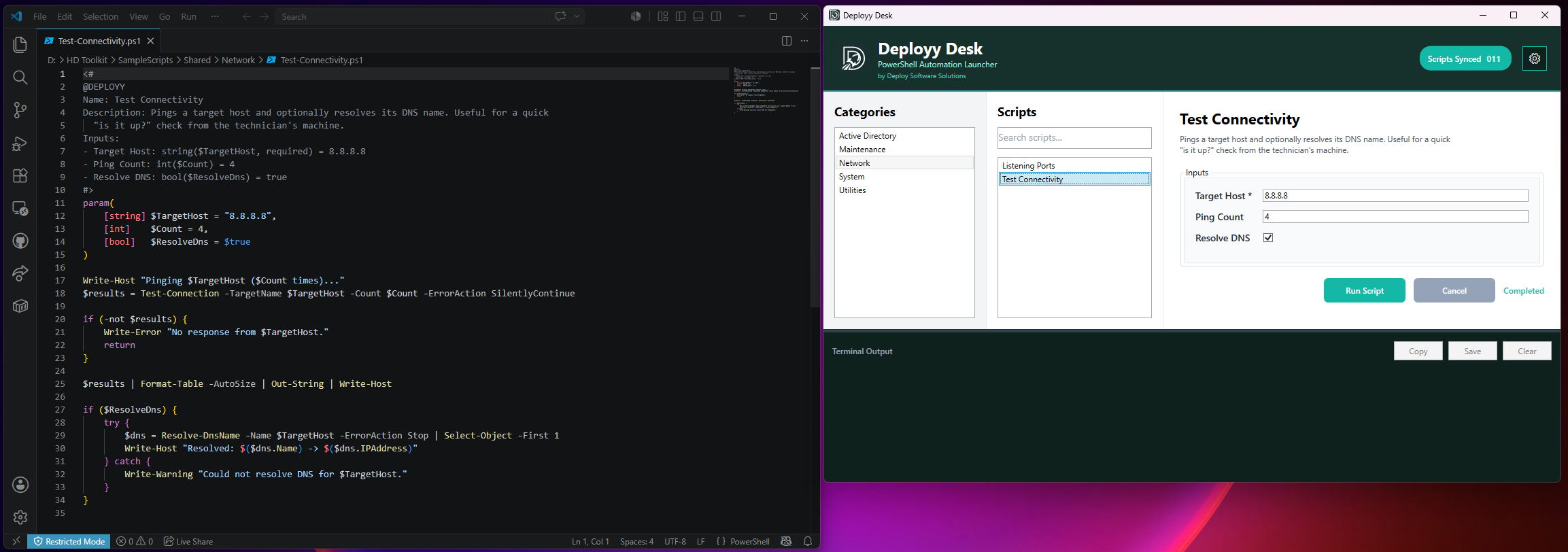
Add a few lines of metadata to the top of a .ps1 file. Deployy Desk reads it and builds the input form for you: text fields, checkboxes, dropdowns, required-field validation. Then it passes each value straight into your param() block. Scripts without a block still run; they just show up with no form.
02 What you get
Features
- Forms from Metadata
- Fields, checkboxes, dropdowns and validation, generated from a metadata block. Friendly labels can map to differently named parameters.
- No Terminal
- Anyone can run an approved script just by filling out a form. No PowerShell knowledge, no command line. Built so your team can self-serve scripts without waiting on you.
- Folders & Shares
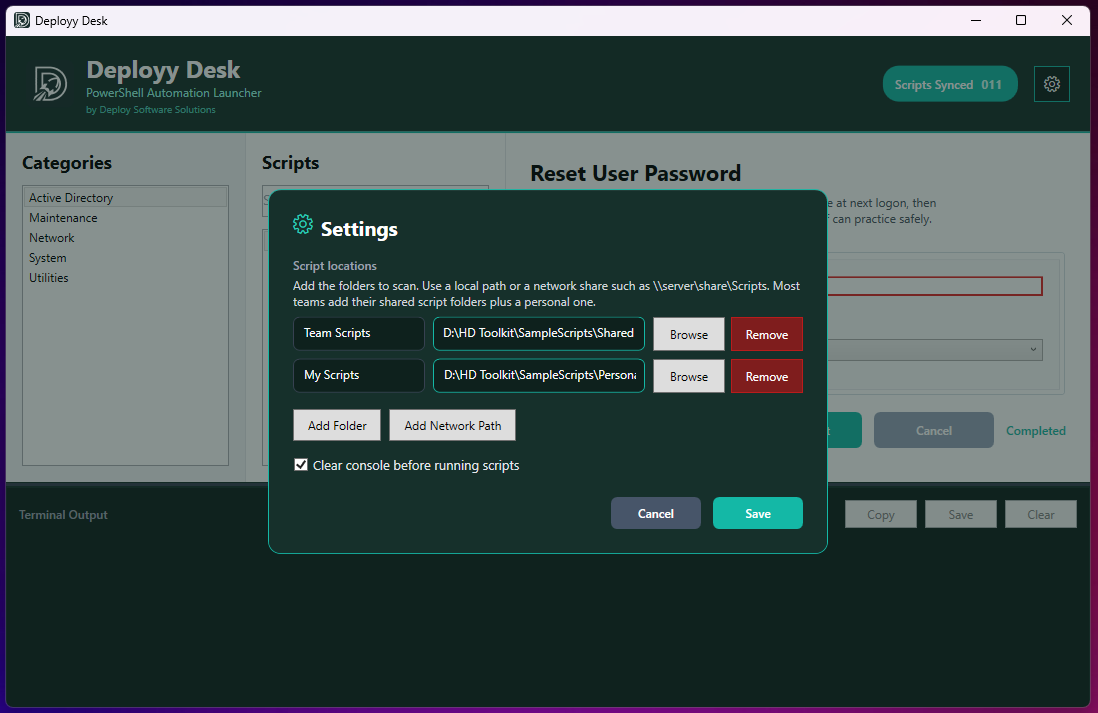
- Pull from several locations at once, local folders or UNC network shares. Subfolders become categories, and categories with the same name merge across locations into one list.
- Live Console
- Color-coded output as the script runs, with smart auto-scroll that pauses when you scroll up, a cancel button for long jobs, and one-click copy or save.
- Favorites & History
- Star what you reach for most and jump back to any recent run.
- Ready on Install
- Admins can ship a defaults.json to pre-load everyone's folders and settings, so the team opens the app already pointed at the right shares.
03 Why I built it
Every job I've worked had the same folder: a pile of PowerShell scripts that solved real problems, and two or three people who actually knew which one to run and what to pass it. Everyone else left a ticket and waited.
I wanted the fix to be simple. No agent, no server side, no migration. Just point an app at the folder you already have and let the scripts explain themselves.
— Miller, Deployy
Deployy Desk is free, and the core set of features stays free. It's the first thing I've released under Deployy. If it saves you an afternoon, I'd genuinely like to hear about it: hello@deployy.io.
04 Get it
Free for Windows 10 and 11.
Download the installer, point it at your script folders, and you're running. The docs walk through the metadata block and admin setup in a couple of minutes.
Deployy Desk isn't code-signed yet, so Windows may show a SmartScreen prompt the first time you run the installer. Click More info, then Run anyway. Here's why, and what to do if it's blocked outright.
05 Privacy
What it sends, and what it doesn't.
When Deployy Desk starts, it sends one small, anonymous ping so I can see roughly how many people use the app and let you know when a new version is out. That ping contains a random ID, the app version, and your operating system. Nothing else.
It does not collect your name, your email, your scripts, what they do, or anything that identifies you or your machine. You can turn it off anytime in the app's settings, and administrators can switch it off for everyone at install time with "TelemetryEnabled": false. Questions? hello@deployy.io.